

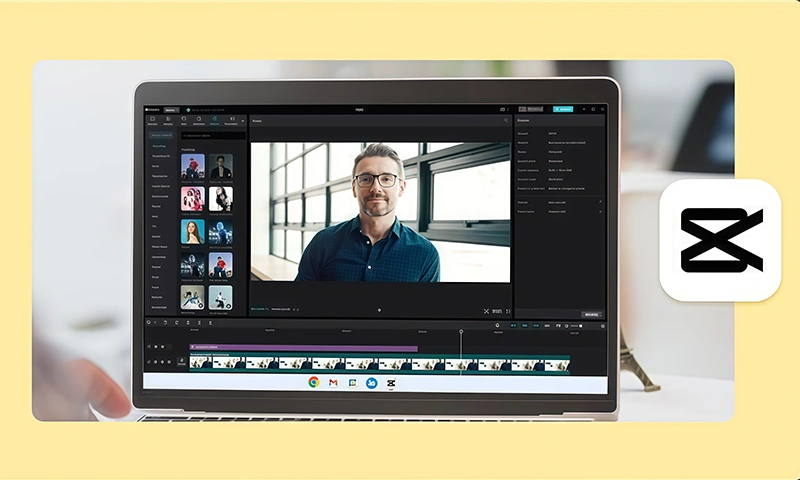
CapCut Desktop Video Editor
It is not an easy job for students to transform research into a video essay. Most of them struggle to present complex ideas in a manner that will engage the audience. It is easy to make a short and convincing video essay when you use the appropriate tools and software.
A professional video essay allows students to effectively present research results, integrating images, text, and voice into a single location. Rather than pages filled with scribbles, students are able to have their concepts presented through pictures, graphs, and voice-over explanations.
This is where CapCut Desktop Video Editor steps in. It enables learners to create high-quality video essays in minutes with minimal effort while maintaining their concentration on the key aspects of their research.
Why Use CapCut Desktop Video Editor for Video Essays
It is simpler to make a video essay from research once all the content is in one area. CapCut PC enables students to merge photos, voiceovers, text, and effects into one nicely represented video.
It is easy to make a clear point and maintain the attention of the audience on the key points. A video essay of high quality can be employed to add excitement to presentations, schoolwork, or homework, making them professional and organized-looking.
The software is easy to use, and students will quickly pick it up. Some of the advanced features come at a cost, but the initial tools are sufficient for most research work. Editing with CapCut PC also saves time, unlike manual editing. Students can organize clips, add transitions, and add text overlays using a few clicks.
This application also allows students to use it as a photo editor. This helps them sharpen images or photos prior to adding them to the essay to ensure all frames are visible and engaging for the audience.
Key Features of Student Video Essay Maker
1. AI Features to Simplify Editing
CapCut PC Video Editor /provides automated captioning, text-to-speech, and AI effects that can be time-saving. They enable students to easily turn research notes into a visible script within a matter of minutes and in an understandable manner.
Using CapCut PC’s AI video generator, even students can turn simple text or ideas into compelling video content automatically without expending much effort on editing manually.
2. Video Cutout and Background Options
Students can remove distracting backgrounds or replace them with relevant imagery. This keeps the key points at the center of attention and makes the video essay readable. Using the cutout button or auto cutouts, they can highlight the object of the video effectively.
3. Multimedia Integration
Use of images, graphs, research charts, and videos from the internet or personal sources. Images mixed with voice help to simplify complex research concepts.
4. Effects and Transitions
Smooth effects and transitions enhance the essay. Transitions, animations, or overlays can be included to highlight key points.
CapCut PC also offers online video editor features, which enable the addition of transitions, effects, and even other effects on the same platform without switching to other applications. The features enable the student to make it quick, easy, and professional to produce video essays.
Step-by-Step Instructions to Make Video Essays using CapCut PC
Step 1: Download and Install CapCut Desktop Video Editor
Students can download the CapCut Desktop Video Editor from the official website for safety reasons. The installation process is easy and compatible with all Windows platforms. After installation, open the software and sign up if necessary. The basic functions are available free of charge, while the paid features are required.
Step 2: Create Prompt & Upload Research Assets
Open the AI Video Maker and type a clear prompt describing your research topic, structure, and tone. Upload supporting media such as photos, videos, charts, or notes to strengthen the AI’s output. Well-prepared prompts with organized assets help the AI create a more accurate video essay.
Step 3: Generate & Customize Video Essay
Click Generate to let the AI arrange your content into a draft essay video. Once created, refine it by adding text overlays, cutouts, transitions, and research highlights. Students can insert narration through text-to-speech or record their own voice. Adjust clip length, visuals, and key points to align with the essay’s flow.
Step 4: Export & Share
When satisfied with the result, tap Export and choose the resolution and frame rate you need. The final video essay can be shared on class portals, submitted to instructors, or published on social platforms. Using CapCut PC’s AI makes research-based video essays professional, clear, and time-saving.
Conclusion
CapCut PC Desktop Video Editor enables students to convert research into comprehensible video essays. The combination of images, voiceovers, and effects makes everything comprehensible.
The videos add to the user’s as well as the audience’s experience. Although most of the free features on CapCut PC are provided, some advanced features are not free. Students can use the features to provide the extra sparkle whenever needed.
If you wish to make your upcoming project more appealing, then attempt making a video essay using CapCut Desktop Video Editor. Begin editing your research, photos, and voiceover now to create professional videos that make your concepts go viral and last long.
